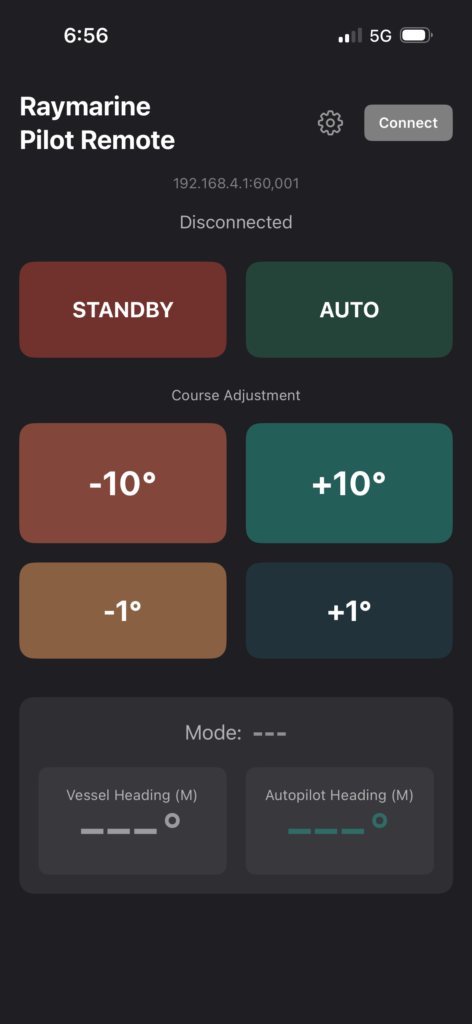
A remote control for your Raymarine Autopilot on your iOS or Android phone.
IMPORTANT !
This app works with either a Yacht Devices YDWG-02 gateway or an Actisense W2K-1 or W2K-2 gateway.
Yacht Devices:
https://www.yachtd.com/products/wifi_gateway.html
Actisense:
https://actisense.com/products/w2k-2-nmea-2000-wifi-gateway/
Setup
Gateway Configuration
Yacht Devices (YDWG-02)
Configure the Yacht devices server for RAW in both directions. By default the first server is configured for NMEA0183 on port 1456. I prefer to leave that as default and configure the second server for RAW on port 1457.
Actisense (W2K-1, W2K-2)
Configure the Actisense for N2K ASCII in both directions. I prefer to leave the first server DS1 set as default and to configure DS2 for N2K ASCII on port 60002. You will need to enable DS2 on the Data Servers page. Then on the serial page you set it to N2K ASCII. And lastly on the routing page you need to route DS2 to N2KV1 and N2K to DS2.
App Configuration
- Open the app and tap the Settings (gear) icon
- Select your Gateway Protocol:
- Yacht Devices RAW for YDWG-02
- Actisense N2K ASCII for W2K-1, W2K-2
- Enter the Gateway Host/IP Address (e.g., 192.168.4.1)
- Verify the Port
- Optionally adjust advanced settings:
- Source Address: Your device’s address on the NMEA 2000 network (default: 35)
- Pilot Address: Your autopilot’s address (default: 204 for EV-1)
- Choose Heading Display: True or Magnetic
- Tap the back arrow to save